Run your sites and databases from one neon dashboard.
DockLite is a lightweight stack for managing Docker hosts: a web dashboard, a small Go agent and a terminal UI. Spin up sites, databases, backups, DNS and SSL without a pile of YAML.
Everything a small host needs
Built around the things you actually do on a server every week.
Containers
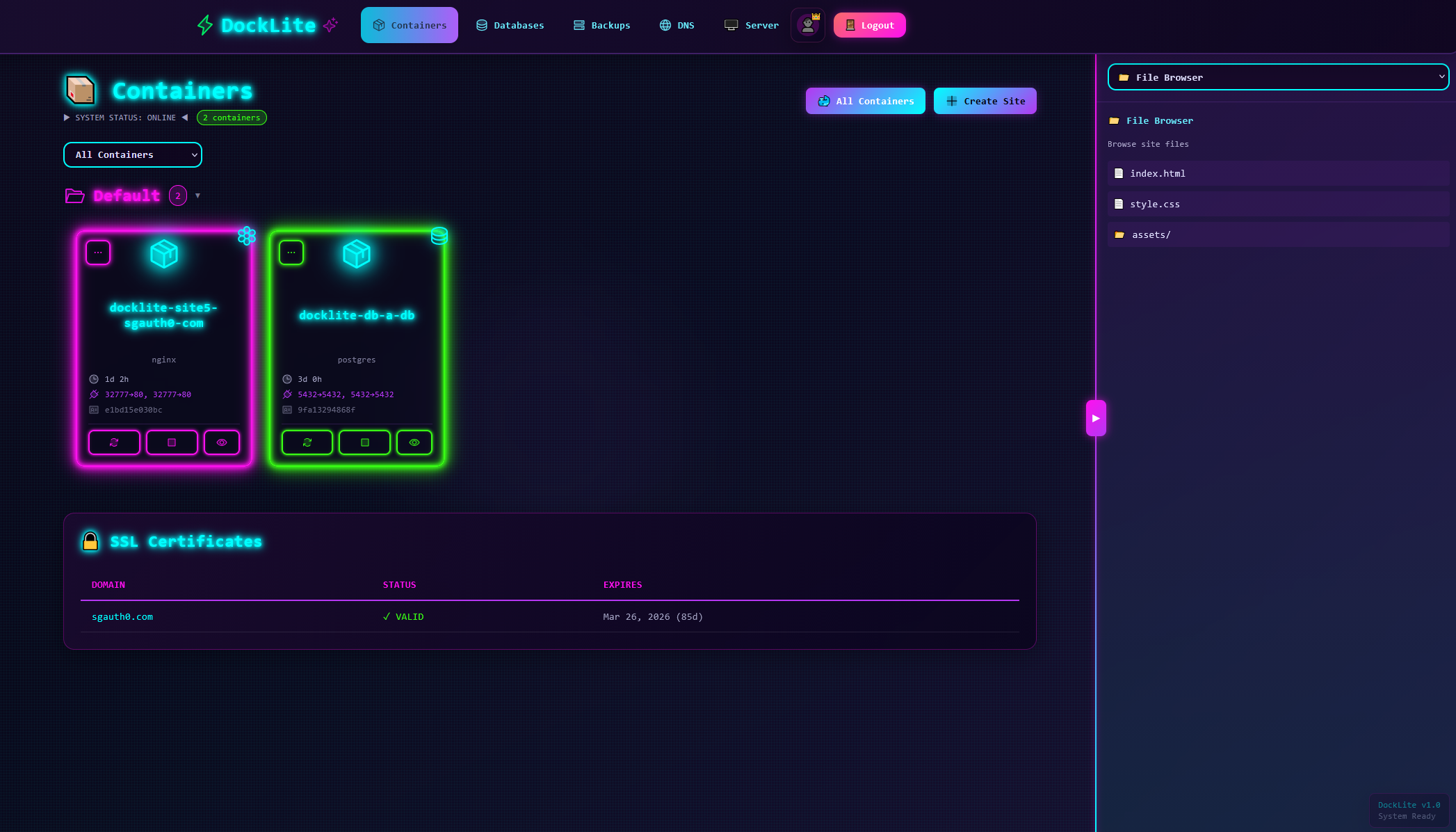
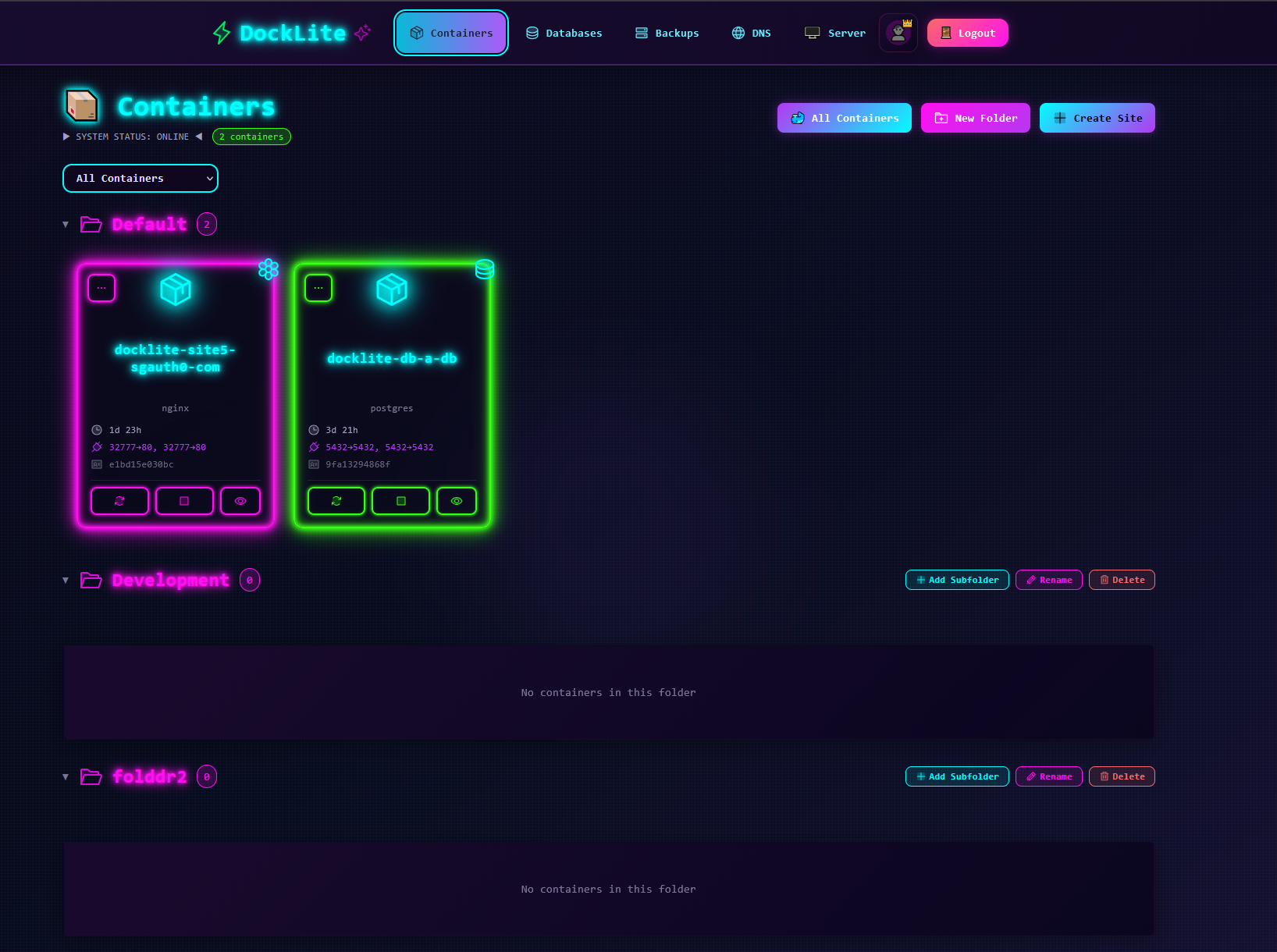
Start, stop, restart and inspect containers, organized into folders so a busy host stays readable.
Sites
Create static or app sites in a click, with a built-in file browser for quick edits.
Databases
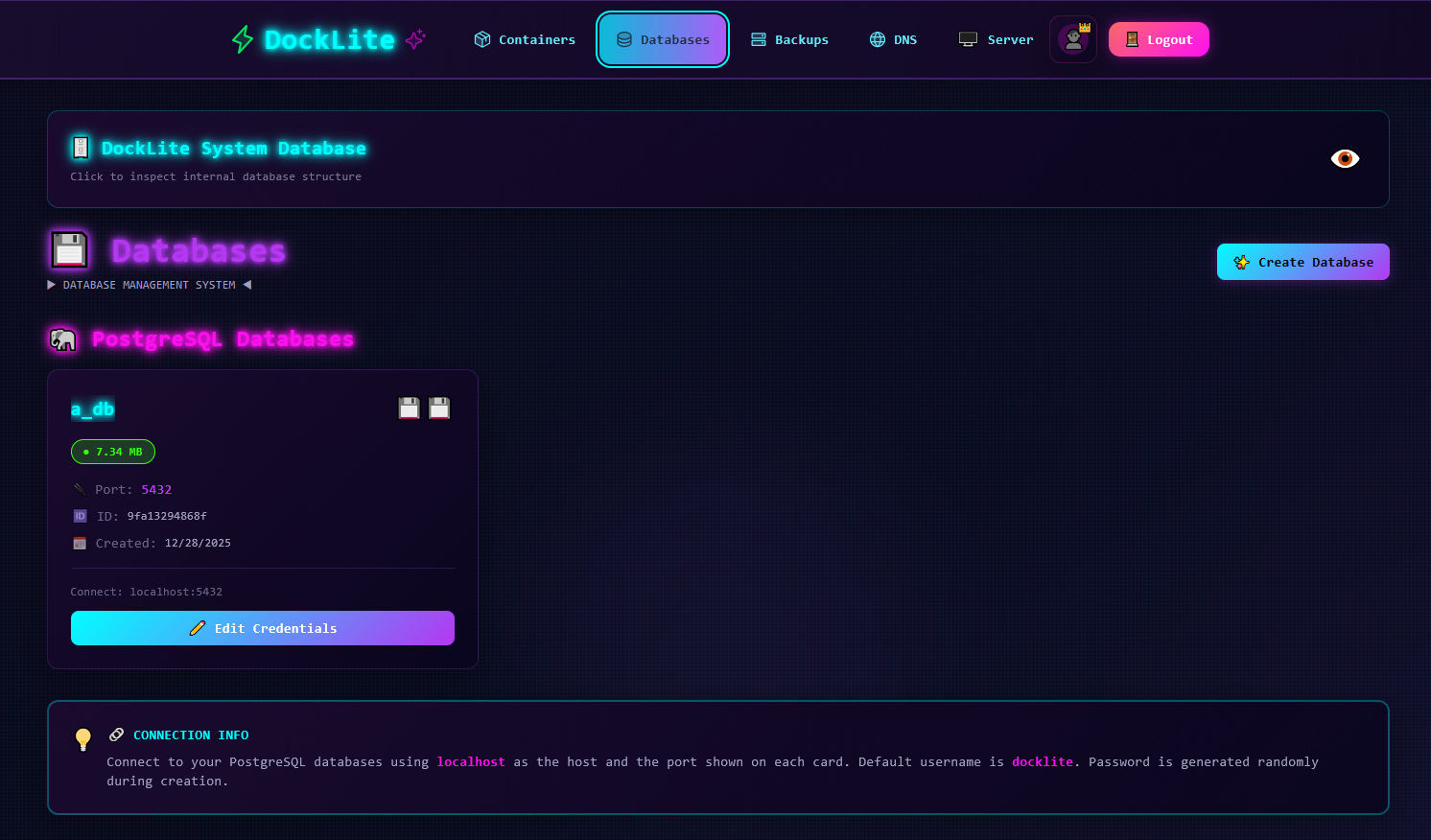
Provision PostgreSQL databases, see sizes and ports, and rotate credentials from the UI.
Backups
Back up to S3, SFTP or local disk, with multiple destinations.
DNS & SSL
Cloudflare DNS integration and certificate status with expiry countdowns at a glance.
Server health
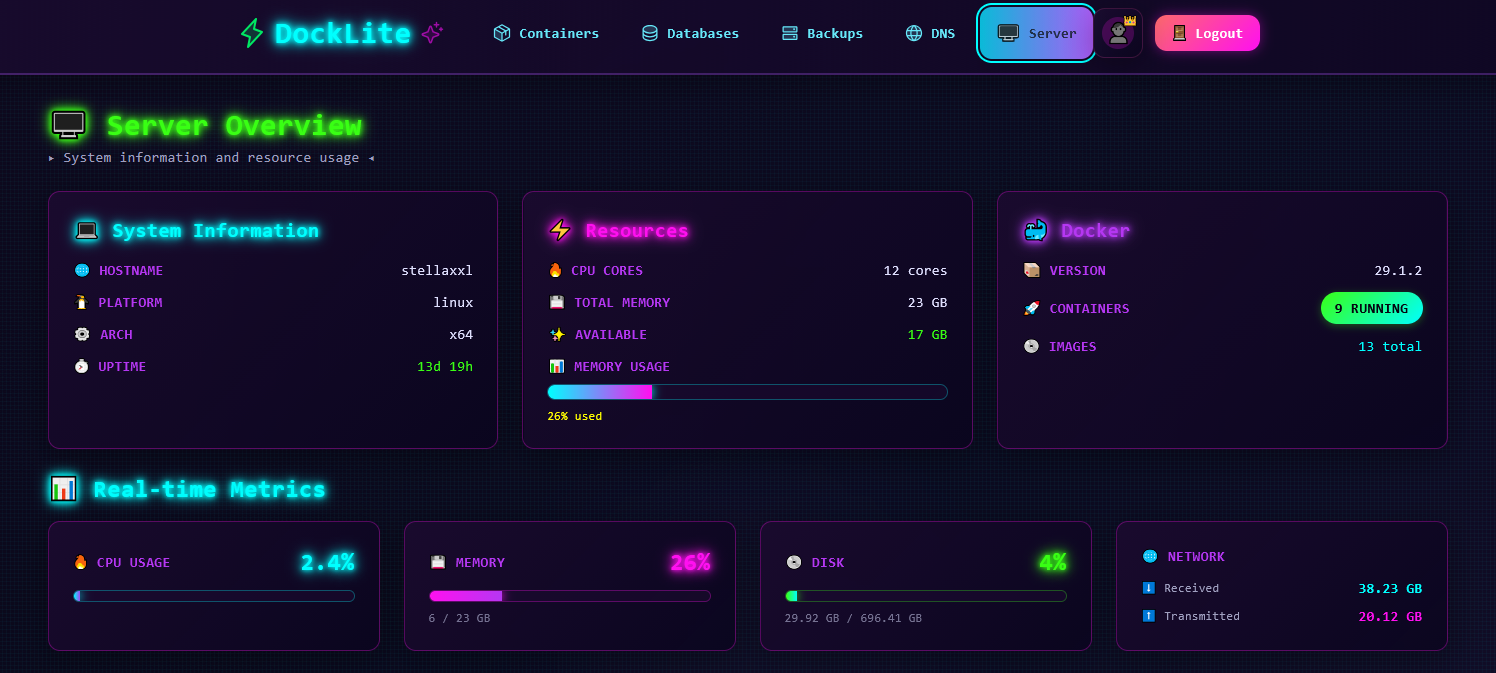
Live CPU, memory, disk and network metrics plus Docker version and container counts.
See it in action
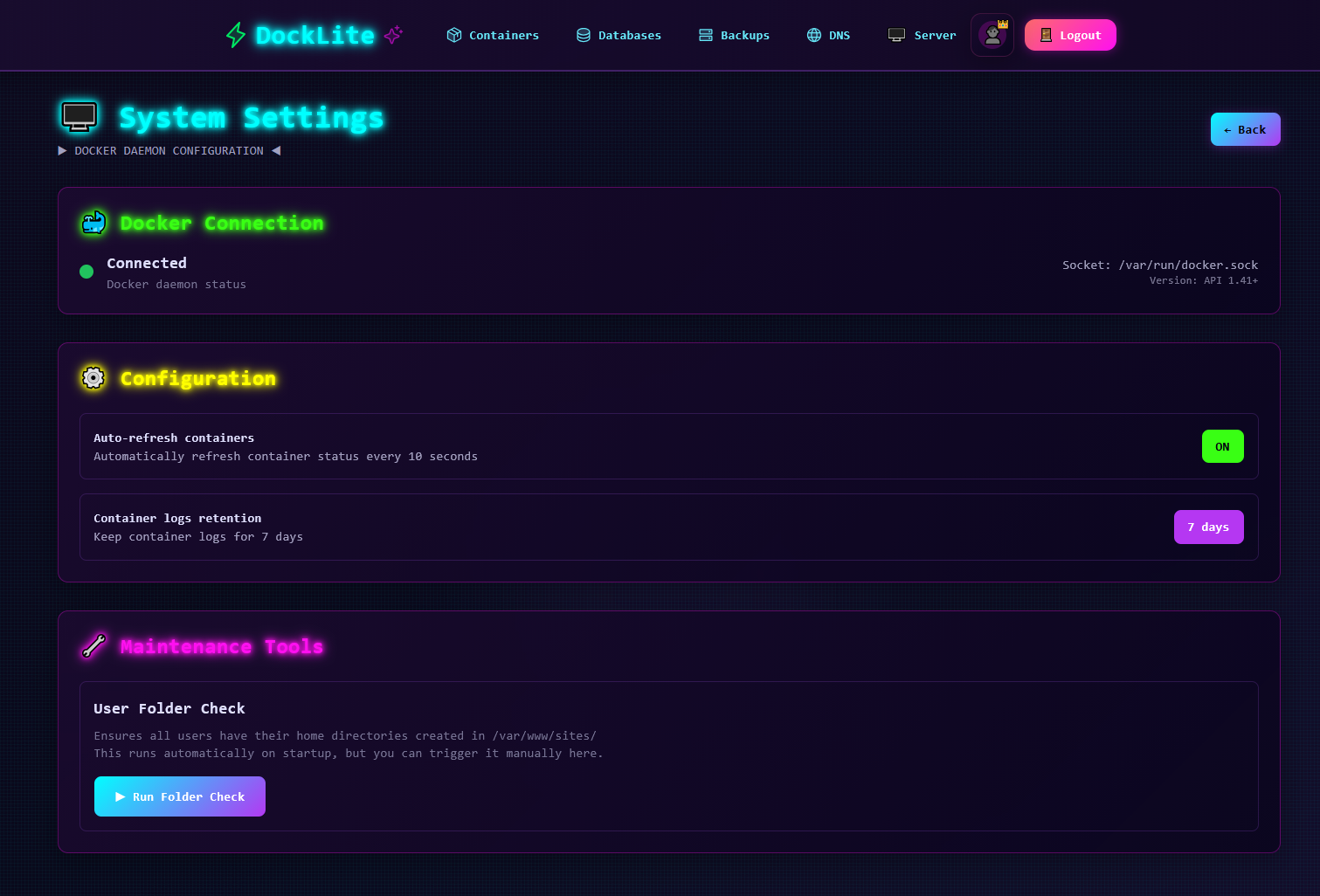
Real screenshots from a running DockLite.
Three ways to run it
Use only as much as you want.
Headless
Just the Go agent: an API server for Docker operations, no GUI.
TUI
A terminal client that connects to local or remote agents.
Full stack
Web dashboard, agent and TUI together. The one the screenshots show.
Install in three commands
Needs Docker 20.10+ and Node.js 18+ for the web GUI (Go 1.22+ only if building from source).
# 1. get the code
git clone https://github.com/girlypopicon/docklite.git
cd docklite

# 2. check dependencies, build, install packages
./install.sh

# 3. start everything, then open http://localhost:3000
./start-fullstack.sh
Default user is superadmin. The password is generated on first start and saved to data/initial-admin-password. See the README for headless and TUI modes.
Poke around before you install
The demo runs entirely in your browser on fake data, so click anything. Nothing touches a real server.
Open the live demo